 MySimpleVideo
Video editing without the hassle.
Right on your computer.
MySimpleVideo is a lightweight video editor for Windows and Linux — multi-track timeline, effects, transitions, chroma key and 4K export. No account, no cloud, no uploading your footage anywhere.
Version 0.15.1 • Windows 10/11 and Linux • no sign-up, no account • files scanned with VirusTotal
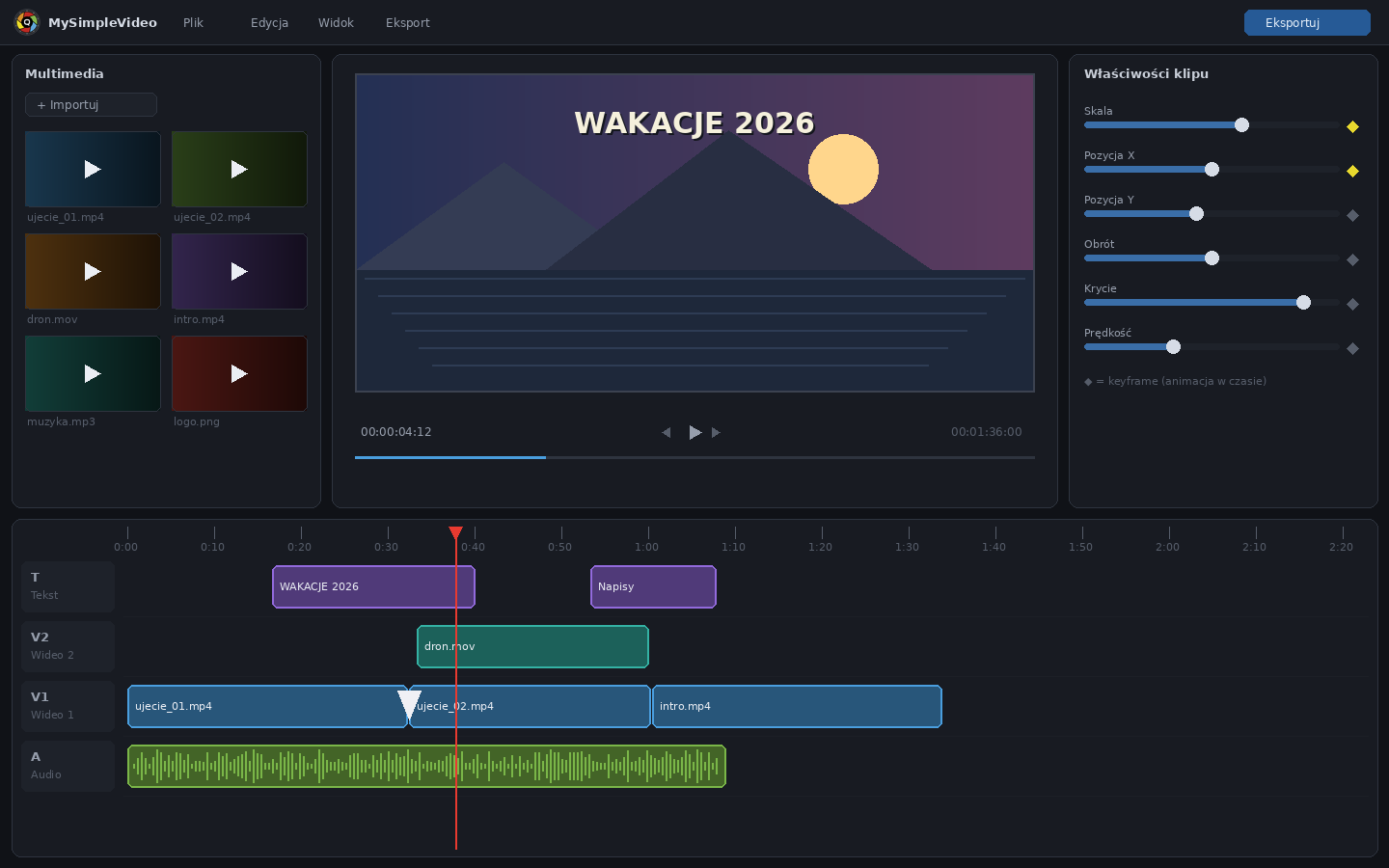
Everything you need to edit
From simple cuts to chroma key and motion tracking — with no paid add-ons and no monthly subscription.
Multi-track timeline
Separate video tracks, audio tracks and text tracks. Trimming, splitting, freeze frames, compound clips and full undo/redo.
Effects, filters & transitions
Color correction and RGB curves, filter presets, motion effects, overlays (snow, confetti, light leaks) and a dozen-plus transitions.
Titles & stickers
Title presets, every font installed on your system, outlines and shadows, animations, plus ready-made YouTube-style stickers and badges.
Green screen & background removal
Chroma key with an on-preview color picker and spill reduction, plus automatic person background removal — no green screen needed.
Screen & voice-over recording
Record your screen with system audio, or a voice-over from your microphone (with a countdown) — recordings land straight on the timeline.
Serious audio tools
Multi-track mixing, fades, noise reduction, loudness normalization and a dB meter with clipping warnings at export time.
Keyframes & motion tracking
Animate position, scale, rotation and opacity over time. Click a point in the preview and a title or graphic will follow the object in frame.
Export for YouTube & Shorts
MP4 in 1080p, 2K or 4K, landscape or vertical, Auto/VBR/CBR bitrate. Hardware encoding — no endless waiting for renders.
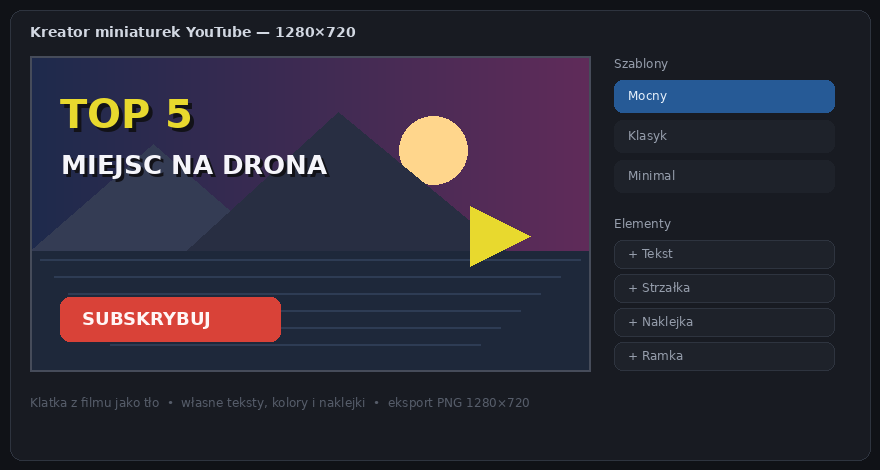
YouTube thumbnail maker
1280×720 thumbnails from any frame of your video: templates, bold text, arrows, stickers and frames — without opening a separate graphics app.
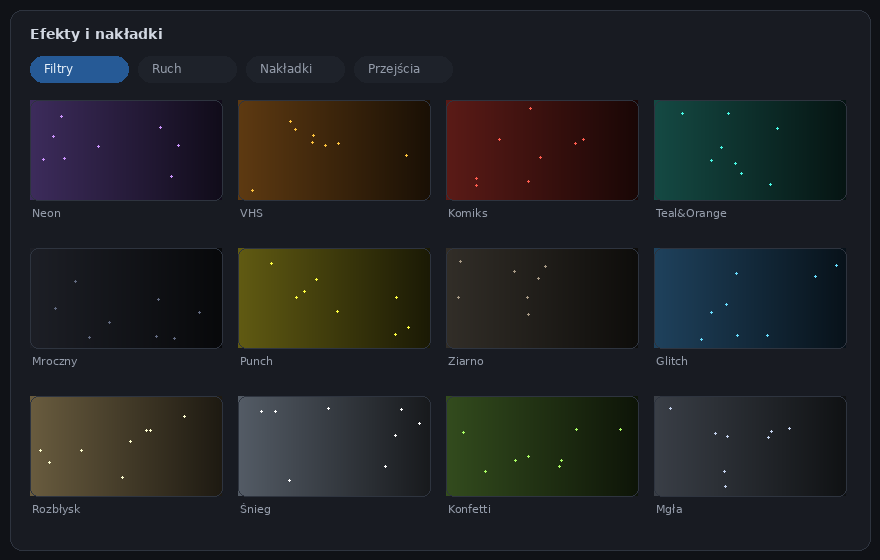
Effects you click like tiles
All filters, motion effects, overlays and transitions are visible at a glance — no digging through menus. One click applies an effect, and chips above the properties panel show what's active on a clip.
- Filters: Neon, VHS, Comic, Teal&Orange, film grain and more
- Motion effects: camera shake, glitch, pulse, Ken Burns
- Overlays: snow, rain, confetti, fire, light leaks
- Censorship tool: pixelated cover for faces or data that tracks the object
From editing to thumbnails — in one app
Finish your edit and make a YouTube thumbnail from any frame right away. Templates, bold titles, arrows and stickers — a ready 1280×720 PNG in minutes.
- Templates: Bold, Classic, Minimal — a solid start without designing from scratch
- Any video frame as the background with one click
- Layers: text, shapes, images from file, vignettes and frames
A small app with concrete reasons
Privacy with no asterisk
All editing happens on your computer. No account required, none of your footage is uploaded to any server, and the app works without an internet connection.
Simple, not simplistic
An interface familiar to anyone who has seen CapCut or DaVinci — with keyframes, color curves, masks and motion tracking underneath when you need them.
Regular updates
From the first releases to the current 0.15.1, the app gained screen recording, stickers, face-tracking censorship, new masks and dozens of effects. It's built for real editing, not a marketing checklist.
An honest model: free
This is a hobby project — you download and edit at no cost. If the app helps you, you can voluntarily buy the author a coffee. That's it.
Start editing in minutes
Download the installer, then grab your free license key by e-mail — it unlocks the full version of the app.
1. Download the app v0.15.1
Available for Windows and Linux. Run the installer (or the AppImage) and you're done — no toolbars, no bundled extras.
Download for Windows2. Get your free key
Leave your e-mail address and I'll send you a free license key for the full version, plus a note when new releases come out. No spam, and your address is never shared with anyone.
The app is free. The coffee — optional.
I develop MySimpleVideo in my spare time. If it saved you time or a subscription fee, you can chip in — every contribution is a real motivation for the next release.
Frequently asked questions
Is MySimpleVideo really free?
Why a license key if the app is free?
Is my footage or data sent anywhere?
What are the system requirements?
Does MySimpleVideo run on Linux?
chmod +x MySimpleVideo-Linux.AppImage) and run it. For Ubuntu, Debian and Mint there's also a .deb package for your package manager (sudo apt install ./MySimpleVideo-Linux.deb). On recent Ubuntu (24.04+) the AppImage may need the libfuse2t64 package installed first.